/ Product design
TokoClippers
TokoClippers pairs creators who have long-form content with clippers who cut it into short clips. The two sides use the same product and want opposite things, and money moves between them. I designed both, web and mobile, on a design system built alongside.
- Industry
- Creator economy, clipping platform
- Role
- Product Designer
- Duration
- Not recorded yet
- Client
- TokoClippers
The problem
A two-sided marketplace always has the same problem: one product, two people who want opposite things. A creator wants many clips, quickly, on brief. A clipper wants a job with a clear payout and no wasted effort. Make one side comfortable at the other's expense and that side leaves.
Constraints
- Money moves inside the product, so wallet, withdrawal, and transaction history had to be right from the first version.
- Two platforms at once, web and mobile, on the same components.
The work
One product, two home pages
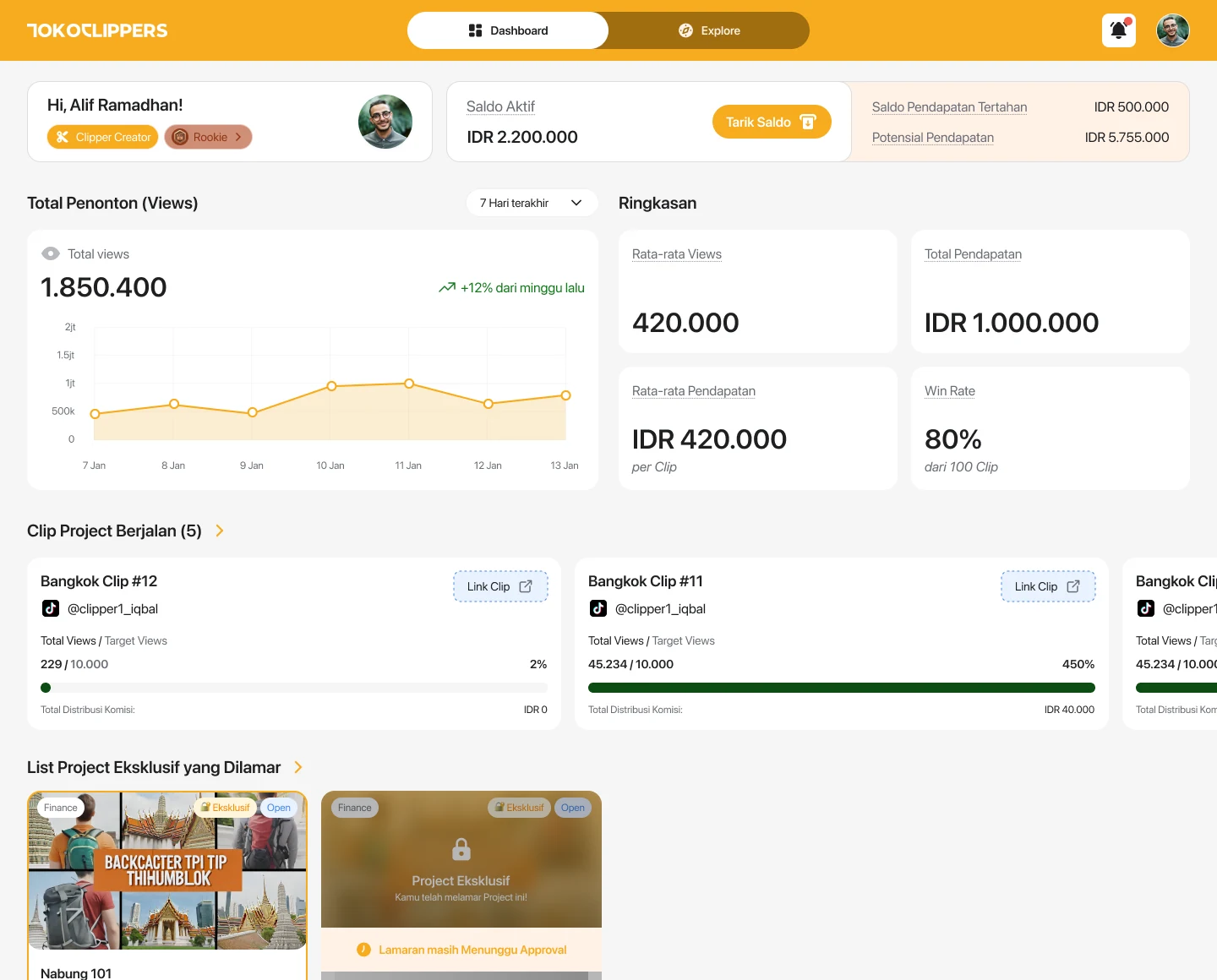
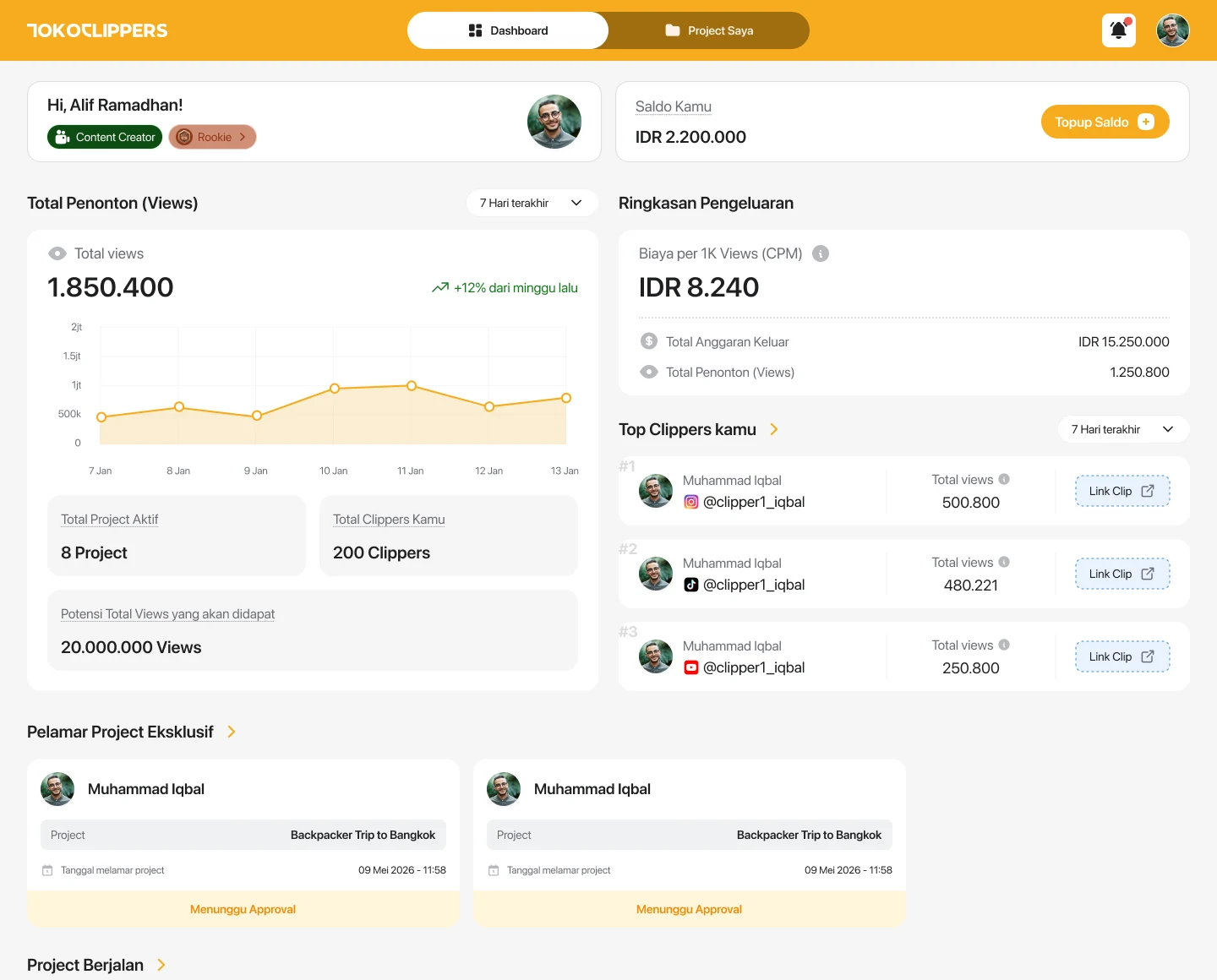
Clippers and creators enter the same app through different doors. The clipper home leads with jobs that can be taken. The creator home leads with how the running projects are performing. Same navigation, same components; what changes is what the page leads with.
The flows that touch money
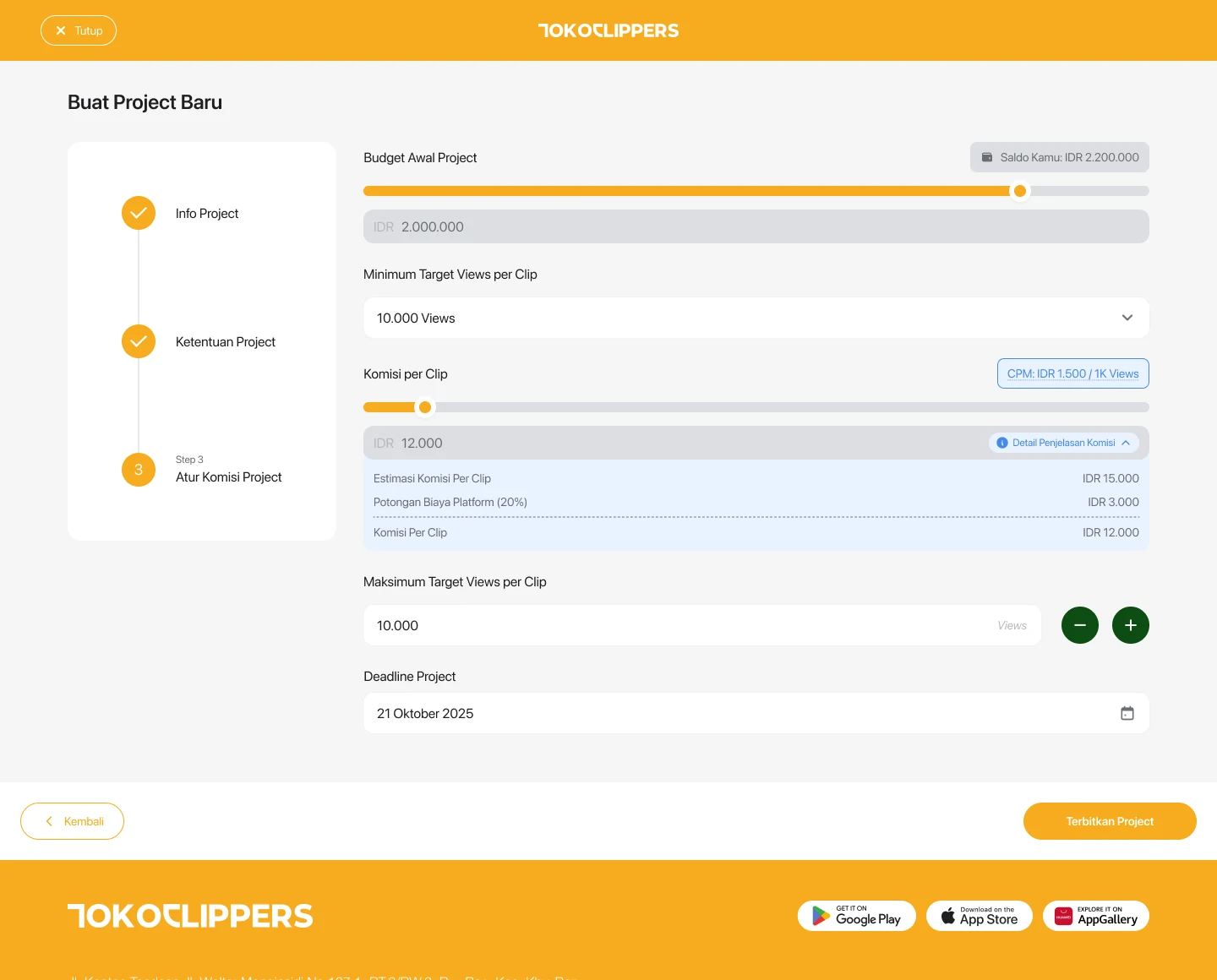
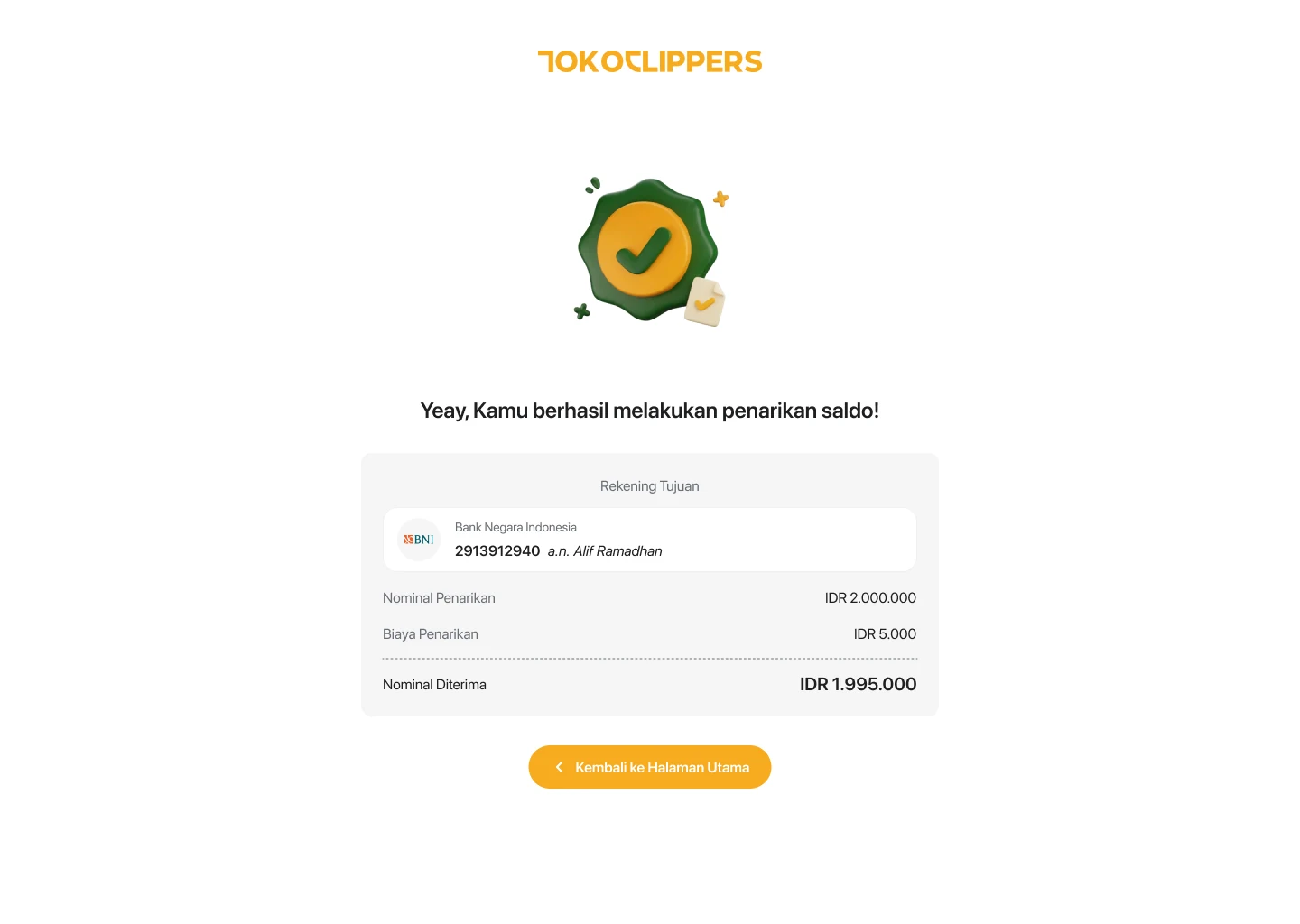
The part that cannot be confusing: creating a project step by step with its budget and per-clip target, applying and approving, then top up, withdrawal, and transaction history. Each flow has its failed, pending, and successful states drawn separately, because that is where people most need to know where they stand.
- A three step project builder, including an exclusive variant with an NDA banner.
- Balance withdrawal with failed, pending, and successful states.
- Two factor authentication, password change, and bank account verification.
Support that is not thrown to email
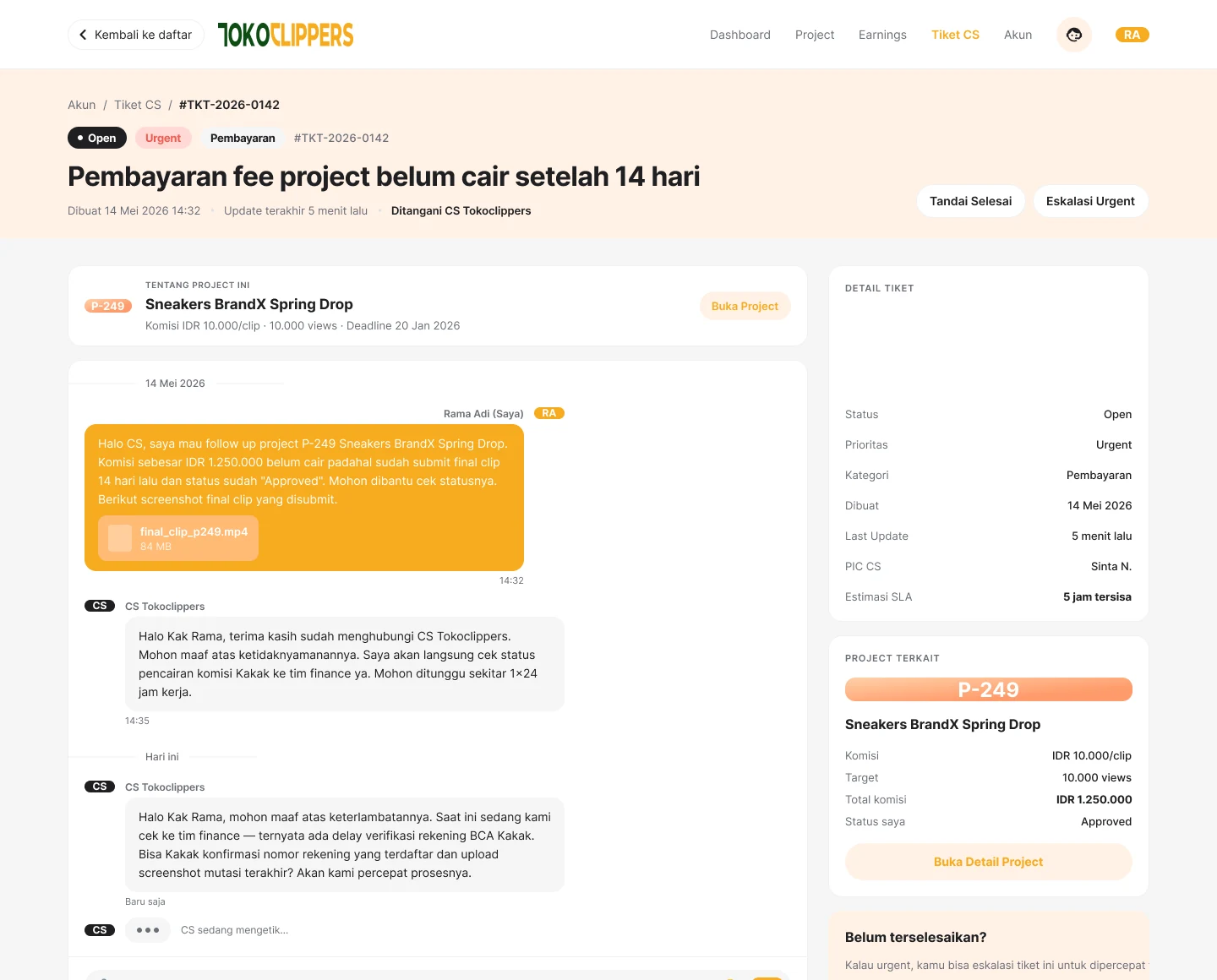
Support tickets have their own portal for both sides, with a list, a detail view, and a chat bubble, plus a chatbot reached from a floating button. This is usually postponed to a second version, and that is usually regretted.
The design system underneath
Fundamentals, Button, Inputfield, Alert, Breadcrumb, Avatar Label, and Progress bar label each have their own page in the same file. Built alongside the product rather than tidied up afterwards, so web and mobile do not drift apart.
Inside the project
06 plates
01
The clipper home, jobs that can be taken leading the page
02
The creator home, how the running projects are performing
03
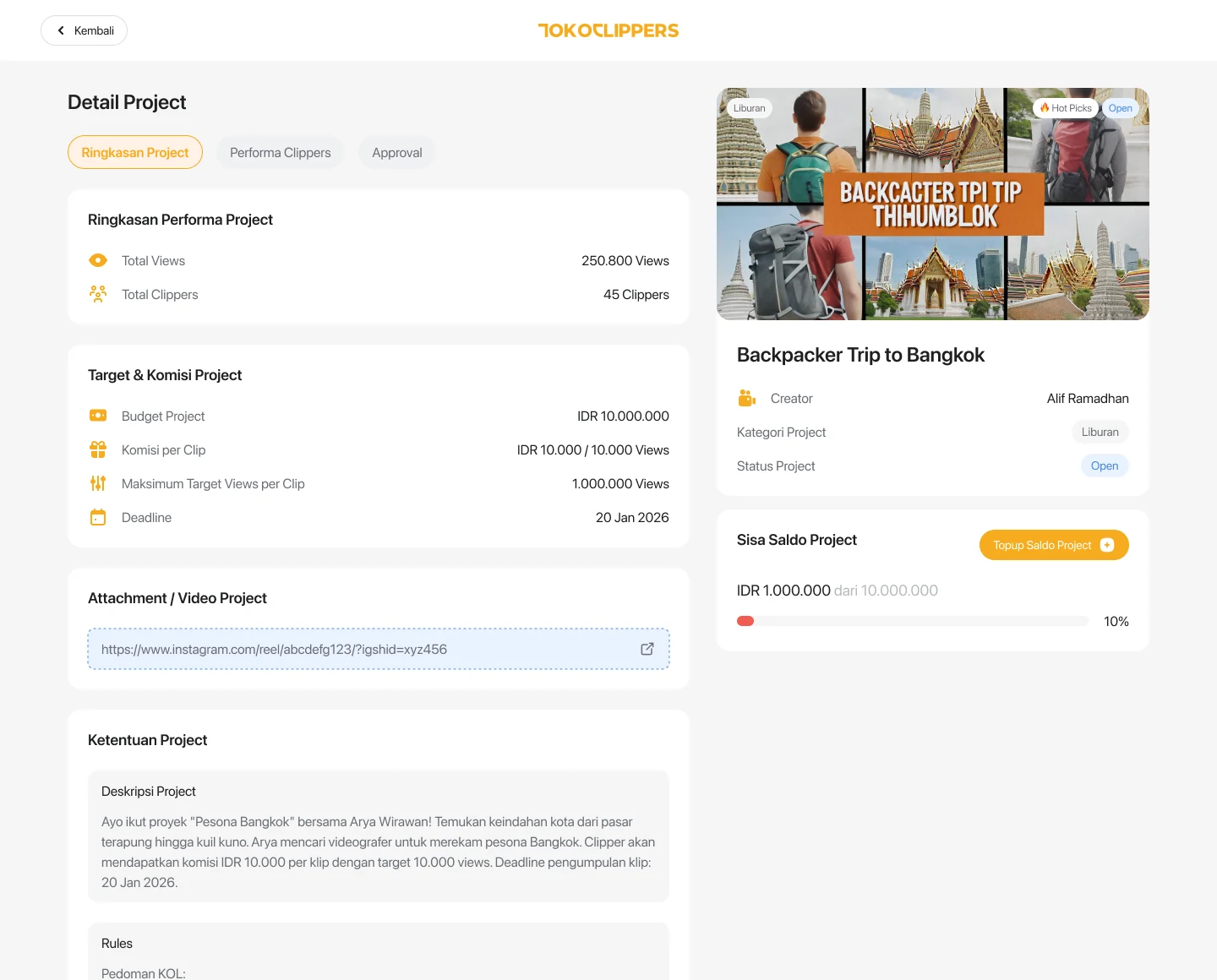
The project summary a clipper reads before applying
04
Creating a project, third step, with budget and per-clip target
05
A successful withdrawal. The failed and pending states are drawn separately.
06
A support ticket in detail, chat bubble and all